What stands out in NAPS2
A clean scan can still be impossible to search. NAPS2 can add recognized text when it saves a PDF and keep the page image visible for reading. That combination suits printed manuals with part diagrams. When the dishwasher stops draining, you can search for the pump, then read the instructions and arrows in their original positions. The important choice comes before scanning a whole binder. Establish that one typical page and one difficult page produce usable results.
Windows, macOS and Linux. Use the supplied PDF if you have no scanner.
Walkthrough
- Choose two sample sheets, preferably a page of instructions and a parts list with small type. Write down a distinctive phrase and a model identifier exactly as printed. Look for characters such as 1, I, and lowercase l that would change the meaning if substituted.
- Scan both sheets or import a sample PDF. Open the OCR settings, install the language of the printed text, and enable searchable PDFs. For a bilingual manual, install both languages and select them together if both appear on the same pages.
- Orient the pages and finish your image edits before saving. Save under a fresh name and open that PDF in a reader. Search for the phrase, then the identifier. Select a few words beside a diagram and paste into a plain text editor to see what was actually recognized.
- If the phrase succeeds and the part code fails, zoom into the source. Compare a cleaner scan with the original using the same two searches. Try the slower recognition mode on that page if the characters are already sharp. Save the settings that help before scanning the rest.
Establish a baseline before turning on OCR
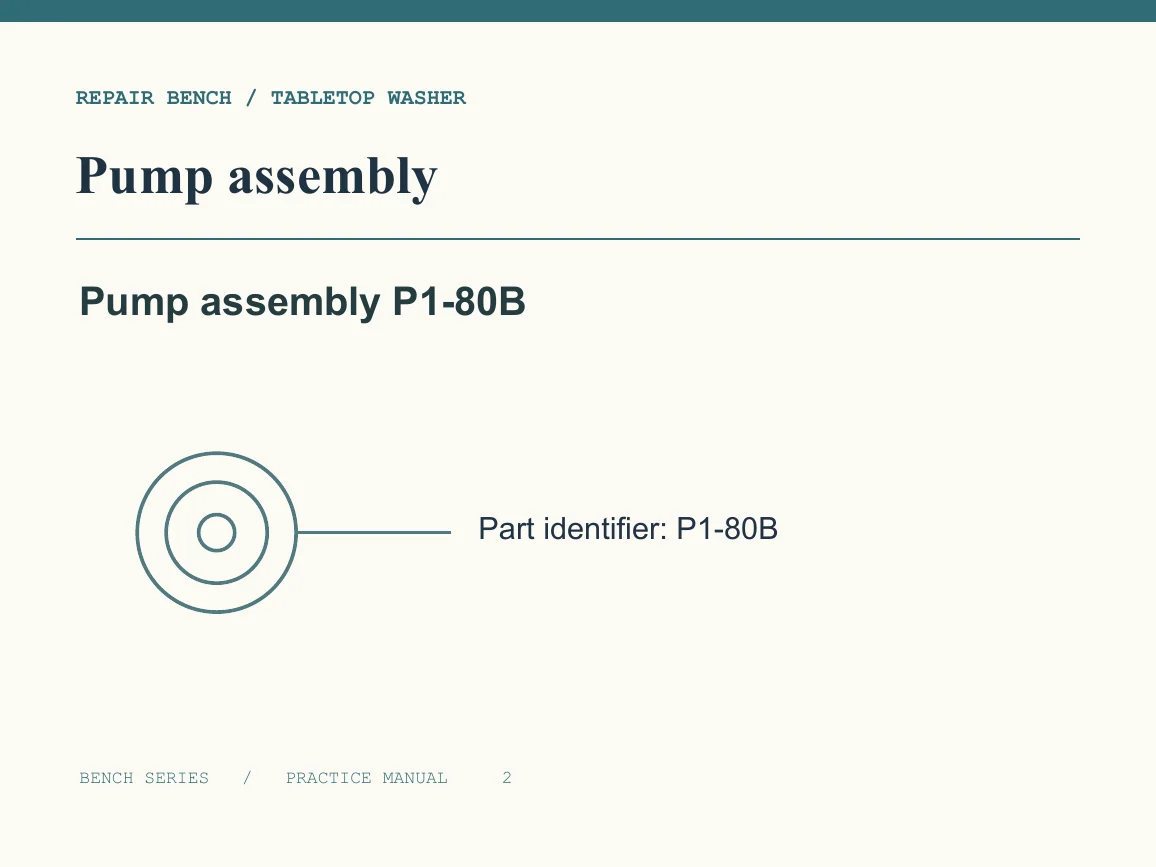
Download the two-page practice PDF below. Page one says “Remove the lint filter.” Page two prints the part ID twice, once in the heading and once beside the drawing. We checked the input with PDFium: each page contains zero embedded text characters. A reader with automatic OCR may still find a word on screen. For a fair before-and-after comparison, use the same viewer and check whether its own recognition feature is enabled.
Write down the expected characters before running recognition: capital P, digit one, hyphen, eight, zero, capital B. Compare the text beside the drawing separately from the large heading. Finding one instance does not tell you how the other was read.
Choose one setting to change
Use the OCR toolbar button on Windows or Linux, or Tools → OCR on macOS. Download English, select it and enable searchable PDFs. Import the sample and save a new PDF with “fast” in its filename. Finish rotation or deskewing before export. NAPS2 can repeat recognition after an image edit, so changing the page and recognition mode together makes it hard to attribute an improvement.
If the instruction is found but the identifier fails, first try a short search for “Pump assembly.” Select the identifier beside the diagram and paste it into a plain-text editor. If the printed characters are clear, repeat from the original input using Best mode and a second filename. Compare the two pasted strings character by character. For a paper original with soft edges, a straight 300 dpi rescan is a more informative experiment than repeatedly processing the same blurry image.
A real failure hiding in a readable page
As an independent check, we rendered these pages at twice their PDF dimensions and passed the images through Windows OCR. It recovered “Remove the lint filter” on page one. Beside the pump diagram it returned PI · 80B for the printed P1-80B. The digit one became a capital I, and a spaced middle dot replaced the hyphen. A search for the full printed identifier would miss that transcription.
This result comes from Windows OCR. Record what your NAPS2 export actually produces in the same two locations. For an archive used to order replacement parts, keep the page image and put the visually confirmed code in the file index. For an archive used to find instructions, recovering the service phrase may already meet the goal.
Field tip
Put the appliance model in the filename after reading it from the label. This provides another route to the manual when punctuation or tight letter spacing defeats text search. A successful search for a common word tells you little about a tiny serial number.
Where it falls short
NAPS2 leaves pages with existing text alone when importing PDFs. A selectable footer on an otherwise photographed page is a reason to test that page separately. For a mixed collection that needs page-specific OCR decisions, OCRmyPDF offers finer command-line controls.
Try it yourself
Open the supplied two-page manual, export a searchable copy, and record four results: page count, page-one phrase, page-two heading and page-two diagram label. Keep both files until another reader can locate the instruction and verify the exact part number.
Download practice file · PDF ↓