What stands out in Pencil2D
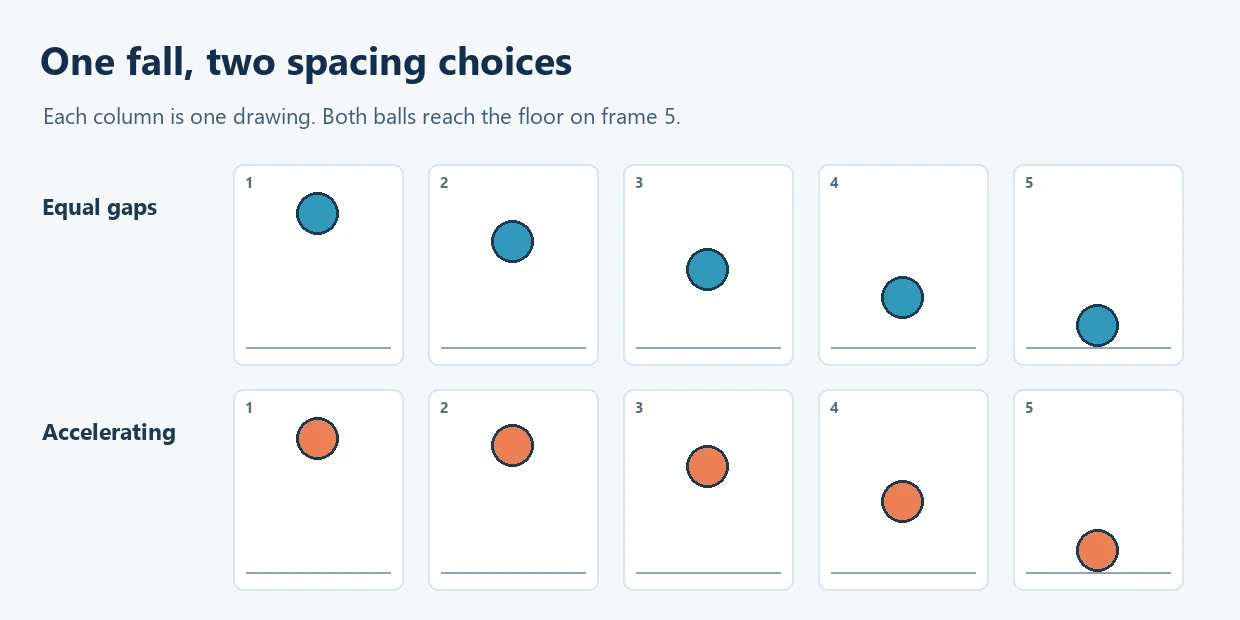
Pencil2D's onion skin view lets you compare the active drawing with adjacent poses while you work. For a bouncing ball, that makes a subtle problem visible immediately: equal gaps between successive drawings produce an even drift. A ball gathering speed on the way down needs larger gaps near the floor. You can learn a great deal about timing from a plain circle, a ground line, and a handful of deliberately placed frames.
Walkthrough
- Start a project with a static ground line on one layer and draw the moving ball on a separate bitmap layer. Keep the action inside the camera frame. Choose a modest playback rate, such as 12 frames per second, and draw a small mark on the ball so you can tell whether it rotates accidentally.
- Establish the high point and the contact pose before filling in any intervening positions. On the contact drawing, put the ball precisely on the ground. If you flatten it to suggest impact, widen it a little too. The ball should continue to feel like the same amount of material.
- Add intermediate drawings on the way down. Turn on onion skins and compare the distance between ball centers. Put the first new drawing close to the high point and make the last airborne drawing noticeably farther from its predecessor. On the way back up, reverse the spacing and give the rebound a lower high point.
- Play the sequence at its intended speed, then step through the contact one drawing at a time. If the ball appears to sink, check its bottom edge against the static ground. If it floats, examine the spacing before changing the entire playback rate.
Field tip
Hide onion skins before judging the silhouette of the contact drawing. A previous outline showing through the current one can make an otherwise clean shape appear lopsided. Turn them back on to judge spacing.
Where it falls short
Onion skins expose drawing positions. They cannot tell you whether a held pose feels too long in motion. Evaluate a correction at speed before redrawing every in-between frame.
Try it yourself
Make two copies of the short project. In one, use equal vertical gaps. In the other, leave the high point slowly and accelerate toward the floor. Play both with identical frame counts and speed. The comparison isolates a single design decision you can carry into your next animation.