What stands out in Poppler
The pdftoppm utility included in Poppler renders a PDF page directly to an image. You can choose the page and set the resolution explicitly, which is especially convenient for classroom handouts or event flyers. A normal screenshot depends on the size of the viewer window and its zoom setting. A page rendering gives the same geometry whenever you repeat the command on the same PDF with the same settings.
Walkthrough
- Locate a PDF that you have permission to reproduce and open it in a viewer. Count the page's physical position from the start of the file. A cover or an introductory page can make the number printed on a flyer different from its position in the document.
- In a terminal with Poppler's command-line utilities available, switch to the working folder. To render page two of a file named handout.pdf, run pdftoppm -f 2 -l 2 -singlefile -r 144 -png handout.pdf handout-page-2. The final argument is a filename prefix. This combination produces handout-page-2.png.
- Check the image dimensions in your file viewer. An uncropped US Letter page measures 8.5 by 11 inches, so at 144 dots per inch a portrait page should be 1224 by 1584 pixels. Different page sizes, rotation, or selected page boxes can change those numbers.
- Place the image in the intended layout and read the smallest essential line at normal zoom. Compare the image with the original PDF to catch missing content, a wrong page, or a clipped edge. Link to the original accessible document or supply adjacent text when readers need to select, search, or copy the information.
Field tip
Use PNG first for diagrams and text. If your publishing system subsequently resizes the preview, inspect that delivered rendition as well. Increasing source resolution will do little for a line of text squeezed into a narrow sidebar.
Where it falls short
The result is a flat picture. Links, searchable text, reading order, form controls, and document accessibility features do not carry into a raster image. Keep the original PDF available alongside informational previews.
Try it yourself
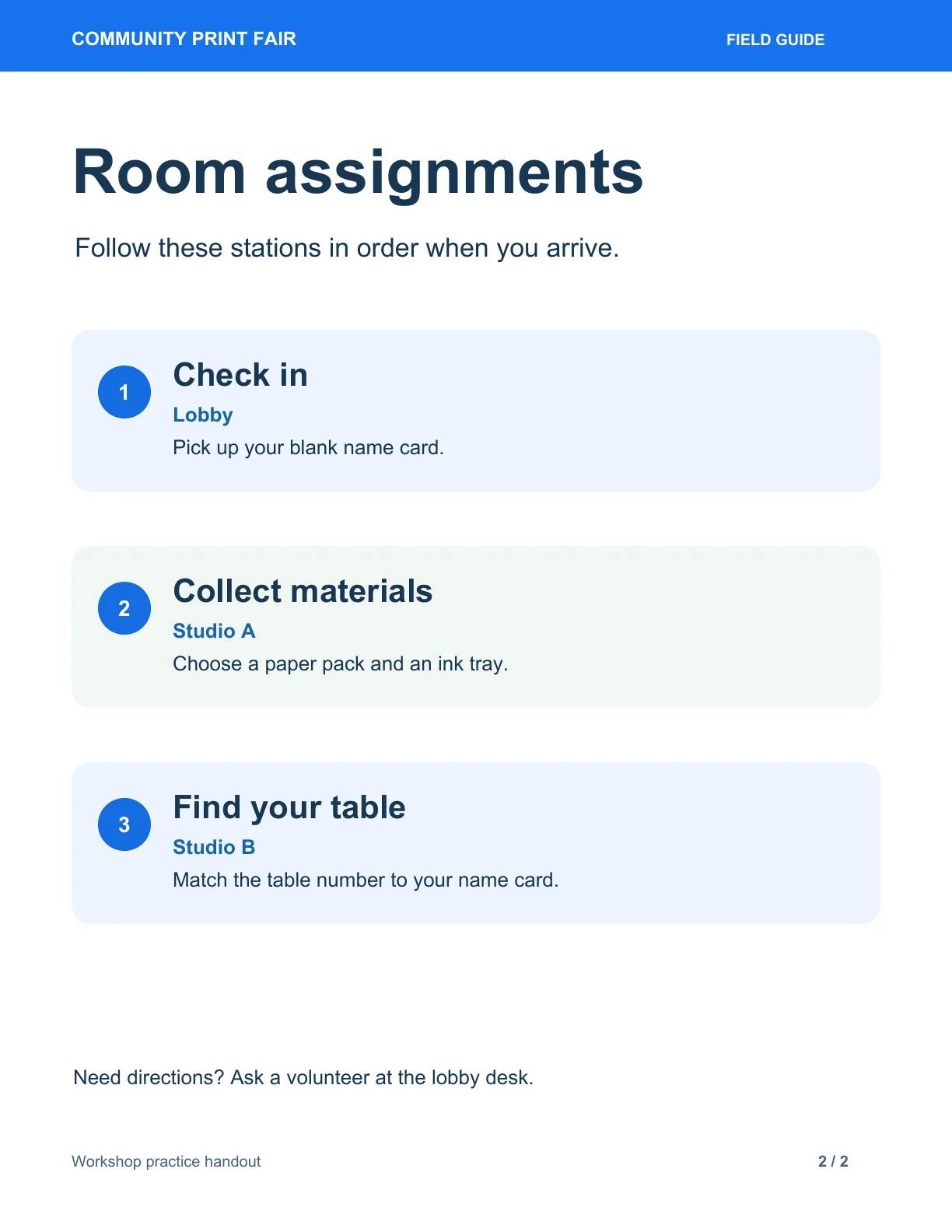
For our figure, we rendered a two-page US Letter handout with the command above. The second page contains three labeled check-in stations. The resulting PNG measured 1224 by 1584 pixels, and its heading read “Room assignments.” Both checks matter: the right dimensions alone would not reveal that you had rendered the cover.
Download practice file · PDF ↓